
October 11, 2026 · Release
Version 8.5 Listen together
Public rooms, search by a single lyric line, your own images in CSS and listening stats.
01 / Search
Finds it by one line
Layout
You meant hello
- 01 By lyrics A line from the chorus finds the track, no title needed.
- 02 Typos and layout Typos are fine, even from the wrong keyboard layout.
- 03 Links Paste a SoundCloud link right into search.
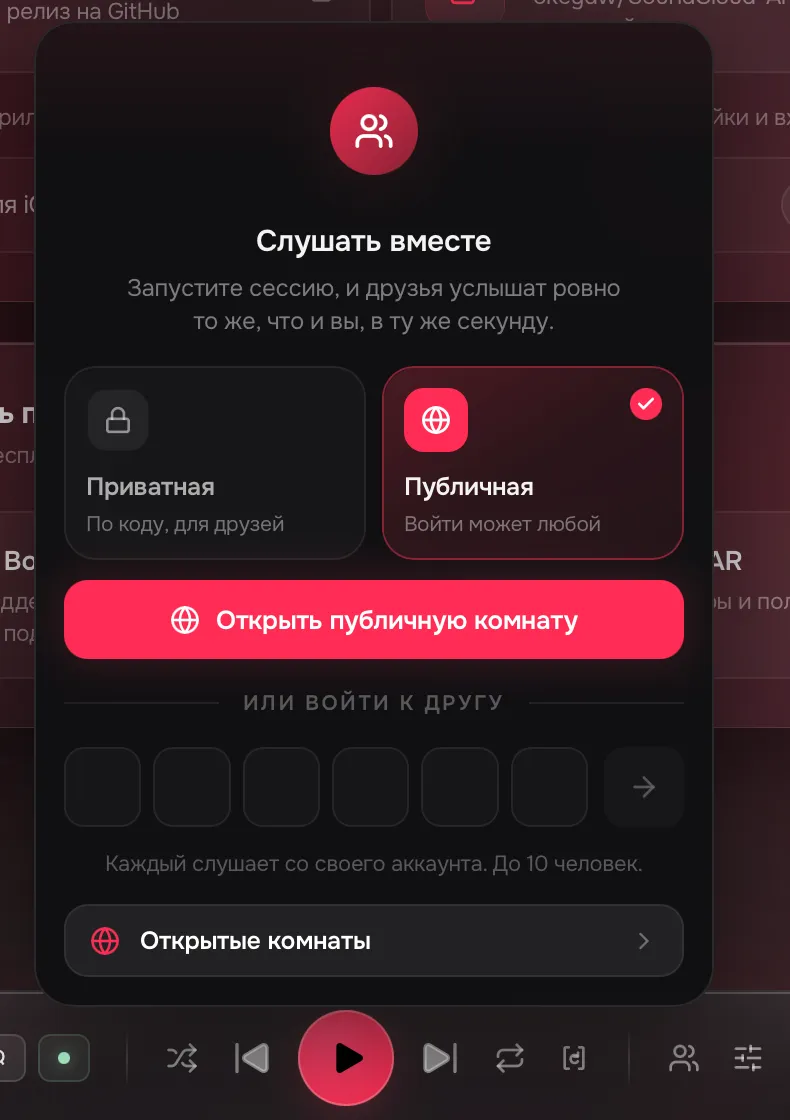
02 / Rooms
Join without a code
Open rooms
- Перегон лёд под фарами 4/10
- рин мятная жвачка 7/10
- moth club Glass Hours 2/10
Session code
Six characters
In sync 5/10
- You
In sync 8/10
- +3
- You
In sync 3/10
- You
In sync 4/10
- You
- 01 Open rooms Public rooms in a list. Join any of them.
- 02 No gaps Guests preload the next track ahead of time.
- 03 Your crossfade The host's or your own.
- 04 Up to 10 people Each on their own account.
03 / Your style
Images in CSS
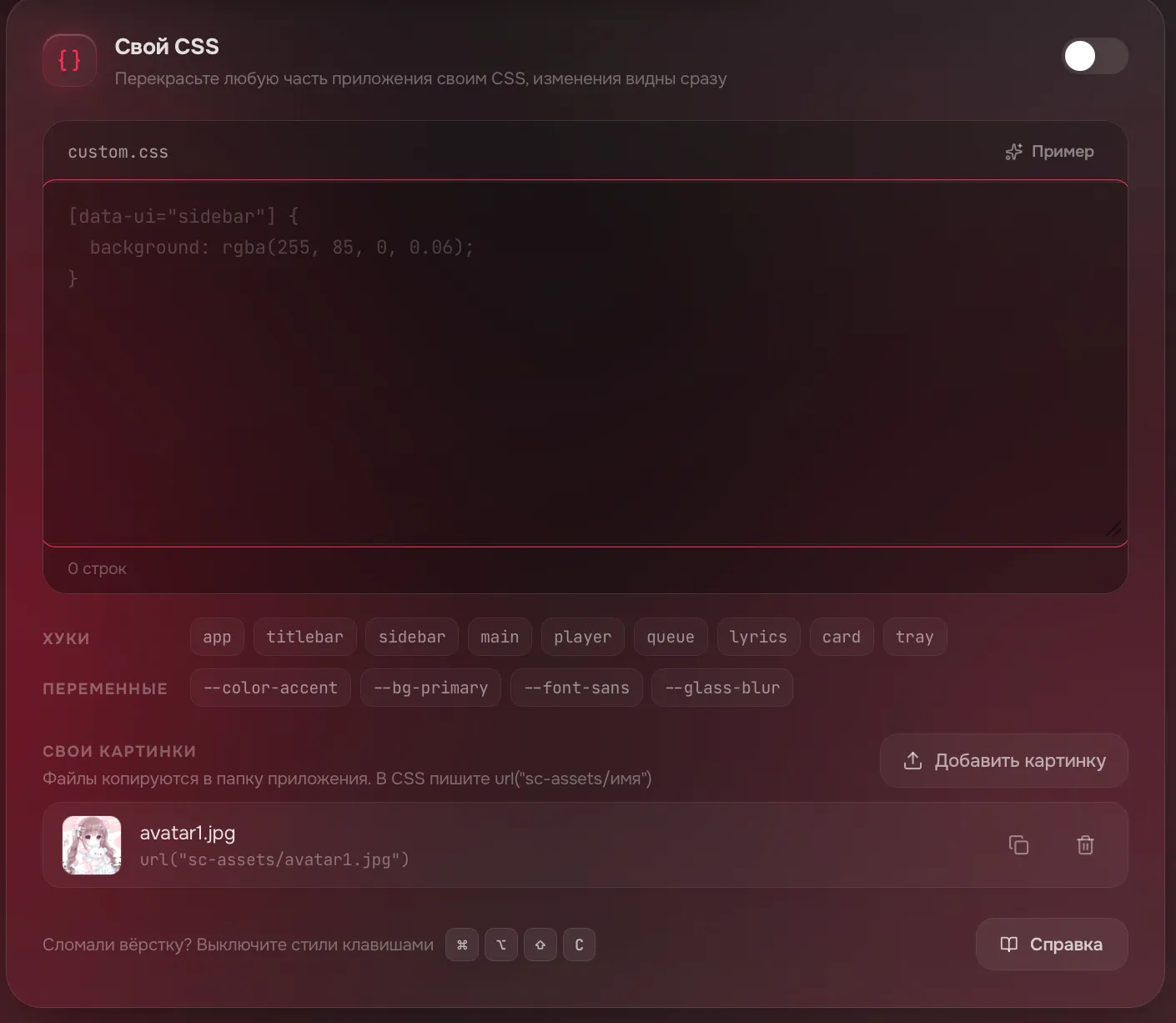
- 01 Images from disk In CSS:
url("sc-assets/name") - 02 Cover colors The interface takes the colors of the playing track.
- 03 Wallpaper slideshow Wallpapers change on a timer.
- 04 Fonts Nine to pick from, a system one or your own.
04 / Stats
When you listen
When you listen
51% Daytime listener 51% of plays in the daytime Peak hour 13:00 Most active Sunday
Mon
Tue
Wed
Thu
Fri
Sat
Sun
Sun 13:00 Plays: 19
- 01 Tops Artists and tracks for the week, month, year and all time.
- 02 In-app only It counts plays made in the app.
05 / Sound
Sound, your way
Playback
Audio quality SQ
HQ with STAR
Volume normalization
Skip silence
Quality, silence, loudness and blends. Click around.
Equalizer06 / System
Control it in-game
Global hotkeys
Paused Volume 100%
Click a row or press the keys
- 01 Global hotkeys Pause, skip and volume without leaving the game.
- 02 Light in games A minimized window draws nothing.
- 03 Flatpak Our own Flatpak repository: updates come through flatpak update.
07 / Network
All good?
| DNS | TCP | TLS | HTTP | 64K | |
|---|---|---|---|---|---|
| Music | |||||
| Covers | |||||
| Sync |
Everything works
- 01 More than a ping Each node is also checked with a real data transfer.
- 02 Where Settings > Network check.
08 / Small things
And small things
- Likes load in full and you can see the sync progress
- Playlists can be created and edited again, and you can see when edits are still going to SoundCloud
- Dislikes with a quick undo
- Right-click a track: play next, add to queue or to a playlist
- The full track and album name in a tooltip
- A button to reload the interface, next to Home
- Settings open at the top and Back returns you to the same spot
- Fewer false "no network" alerts after short drops
- Covers, previews and wallpapers cache faster
- Korean interface language
- An OBS overlay for streamers: a transparent now-playing widget
- Less GPU load while the player is minimized
How to update
- Settings
- Updates
- Install and restart
Portable, deb, rpm, AUR and Flatpak update by hand or through your package manager.
Or download it again